Sequence editor
Exposures, filter changes, autofocus, dithering, meridian flips and shutdown—all in the sequencer.
 skotiq.
WINDOWS · LINUX · ANDROID
All features free. Support is optional ↗
Control your telescope, plan sequences
and stack your images in Skotiq.
Free astrophotography software for Windows and Linux, with an Android companion for remote access.
Download Skotiq Look around the app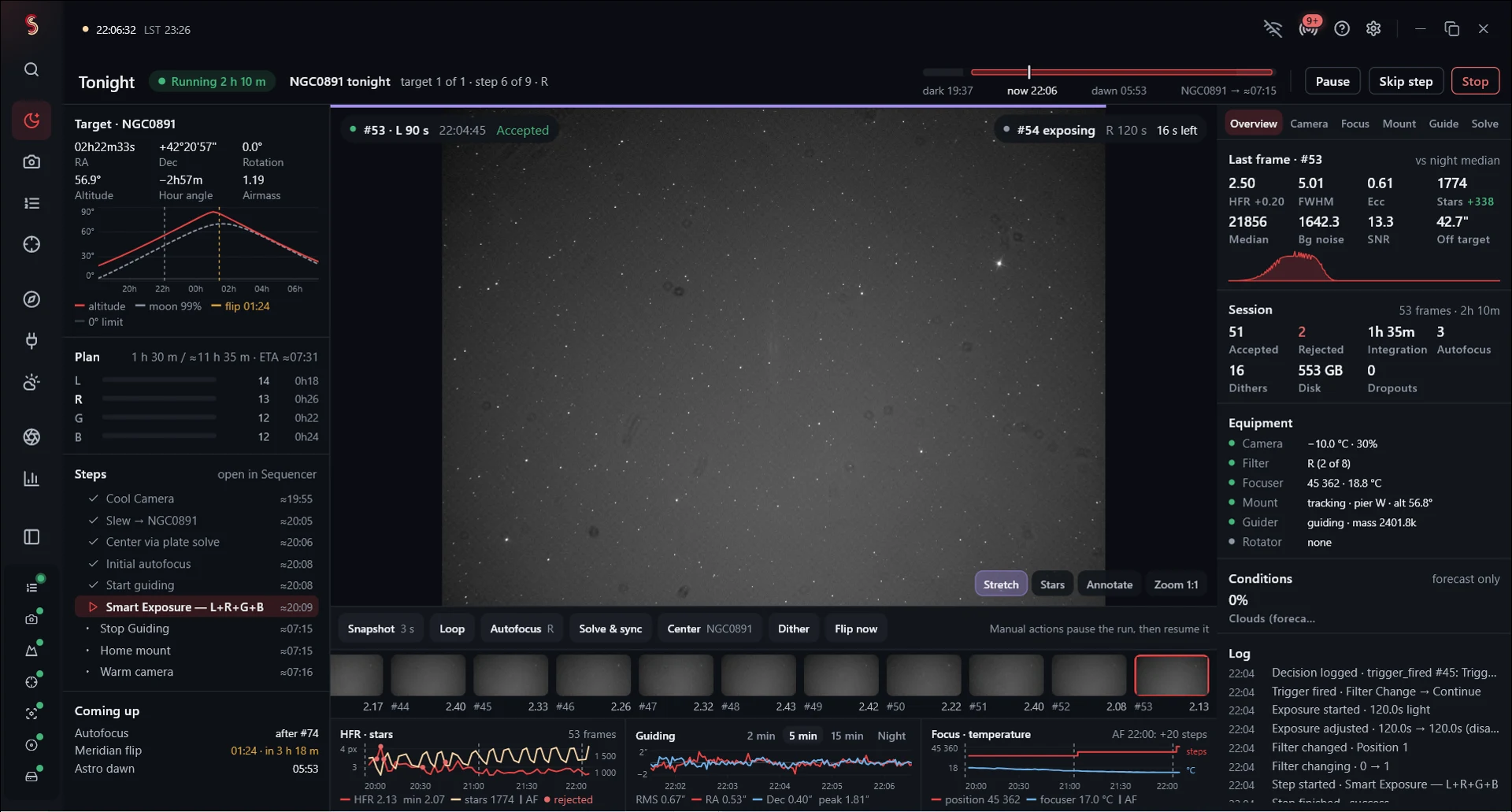
03 / CAPTURE
Follow the sequence from the Tonight screen, with exposure progress, the latest image, guiding graphs and equipment status.
Read the docs ↗Installation, equipment setup, sequences, flats and processing images from multiple nights.
02 / RELEASE NOTESWhat’s new, what was fixed, and what to know before updating your setup.
03 / HELP FROM SEANFind help with common problems or email me a bug report.
FEATURES
Set the targets, exposures and conditions for your session. Skotiq handles filter changes, autofocus, dithering and meridian flips as the sequence runs.
Exposures, filter changes, autofocus, dithering, meridian flips and shutdown—all in the sequencer.
Review star shape, focus and framing. Darkroom checks quality and overlap before integrating.
Save your equipment profiles and sequences. Add another night’s data to the same target.
Leave the telescope computer running and connect from another PC or the Android companion.
OBSERVING LOG / OCTOBER 2026
02h 22m +42° 21′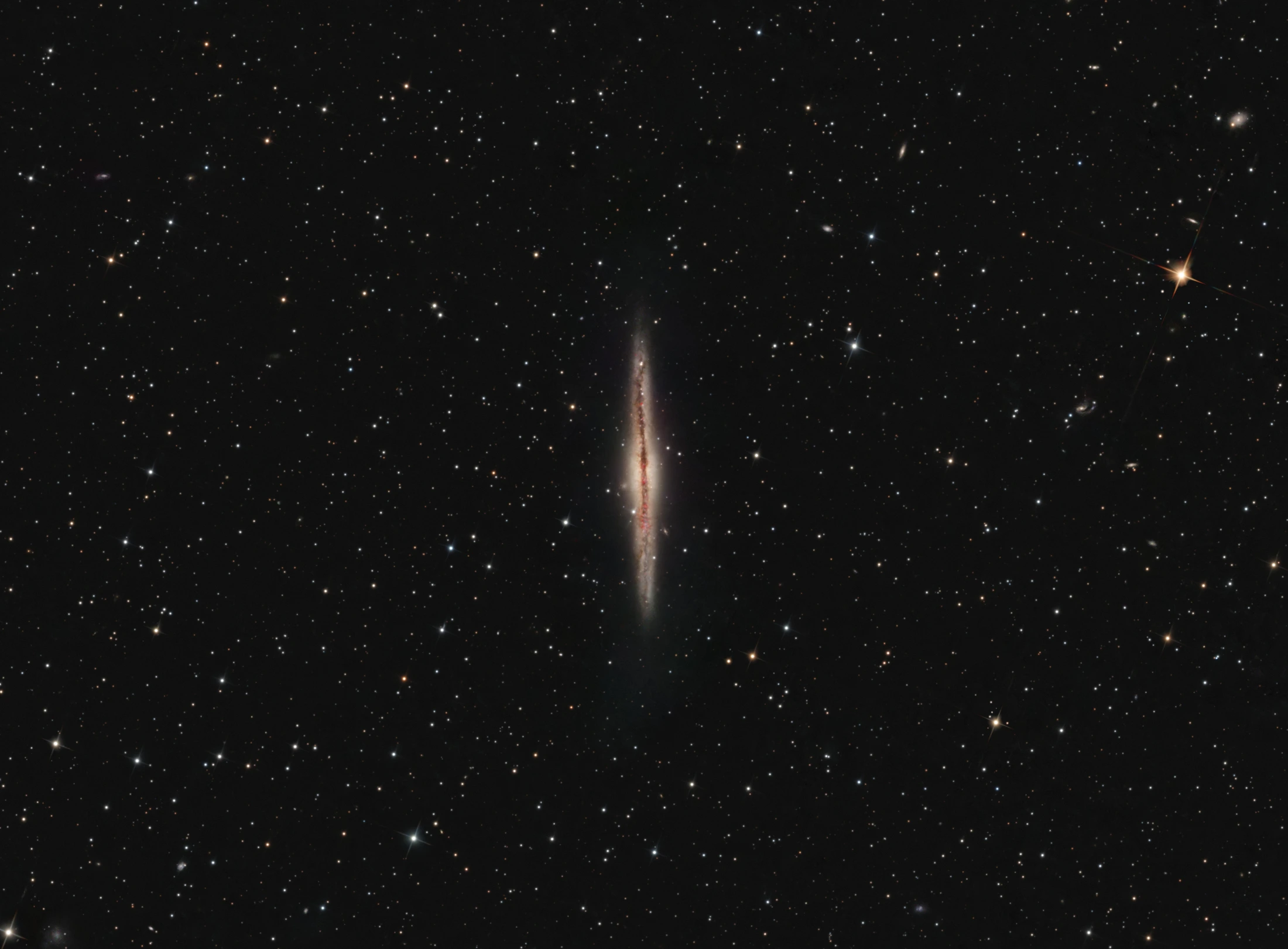
ANDROMEDA
I photographed this with my ZWO ASI1600MM-Cool, captured and stacked in Skotiq with 2× drizzle. The final edit was done in PixInsight with GraXpert and RC Astro tools.— Sean Douglas
GET SKOTIQ
Available for Windows and Linux. All features are included, with no subscription required.
First time? Install your equipment drivers and plate solver, and stay with the rig while testing your first sequence. Windows packages are unsigned and may show a SmartScreen prompt. Release files include checksums.
ABOUT
I’m Sean, an amateur astrophotographer. I developed Skotiq because other options either didn't support Linux, weren't reliable enough, or lacked features I wanted from the astro software.
Skotiq is free and will be forever. If you’d like to support development and hardware testing, you can do that on Patreon.
Bug reports, equipment details and suggestions help too.
BEFORE YOU DOWNLOAD
No. Skotiq and all its features are free to use. Patreon support is optional.
Skotiq connects through ASCOM, Alpaca, INDI and supported native drivers. See the hardware page for driver and platform requirements.
Darkroom handles calibration, integration and image processing. You can also export linear masters to PixInsight or another editor for further finishing. The featured NGC 891 image was finished in PixInsight.
It is source-available, rather than open source. You can read, build and audit the code under the Skotiq license. That license sets the terms for modification and redistribution.
Visit Help and support for troubleshooting guides and a form that helps you prepare an email. Include your app version, equipment and the error you’re seeing.